
Talk directly to your Google Ads with AI (setup in 5mins).
- Kategorija Spletno oglaševanje
- Ključne besede Google Ads, Keywords
ON THIS PAGE
INTRO
You can talk to your Google Ads account like it’s a real person through Claude AI.
And it can all be done in only 5 minutes.
You’re probably spending hours each week exporting Google Ads reports, uploading them to spreadsheets, and manually hunting for optimization opportunities. By the time you finish analyzing last week’s data, your campaigns have already moved on.
Here’s what changes with MCP: connect your Google Ads account directly to Claude AI and just ask questions. “Which campaigns are declining this month?” Claude goes into your account, pulls the data, and gives you specific answers.
This takes 5 minutes to set up, requires zero technical skills, and turns Claude into your marketing analyst.
What you will need:
- Claude AI account
- Google Ads account (with admin access)
- Zapier account
- 5 minutes

WHY THIS MATTERS
Using a MCP server to communicate directly with your ads data.
Most AI tools are just smart chatbots. They can write content, answer questions, help you think through strategy. But they can’t touch your data.
MCP (Model Context Protocol) is different. It creates a direct connection between Claude and your Google Ads account so the AI can actually access your campaigns, pull performance data, and analyze what’s happening in real time.
The difference is huge.
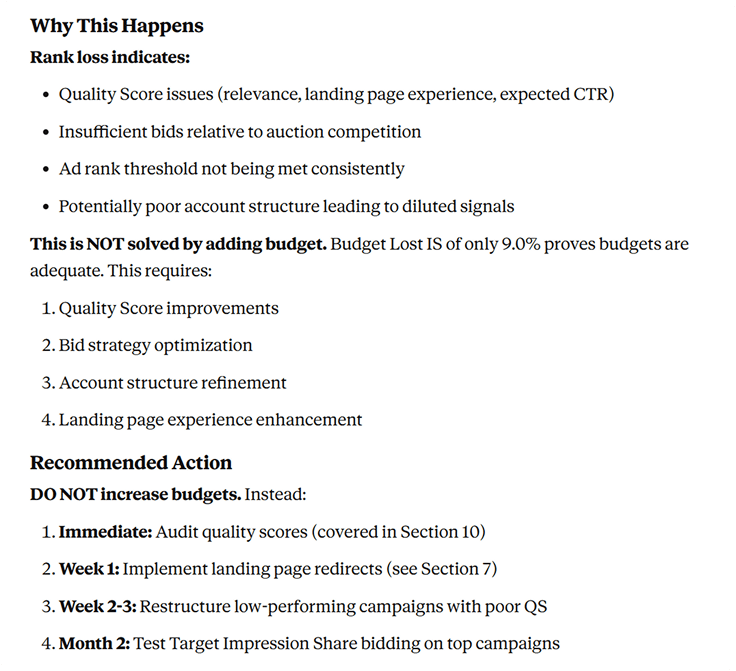
Instead of asking Claude “How do I find underperforming keywords?” and getting a tutorial, you ask “What are my underperforming keywords?” and Claude shows you the actual list from your account with conversion rates, spend data, and specific recommendations.
You stop being the data analyst and Claude becomes your marketing analyst. It handles the data pulling, pattern recognition, and initial analysis. You focus on decisions and implementation.
WHAT YOU CAN DO WITH THIS
You can now get good insights in minutes, not hours.
Here are some examples of using Google’s MCP with Claude AI in your daily workflow:
EXAMPLES OF USING CLAUDE AI WITH GOOGLE ADS
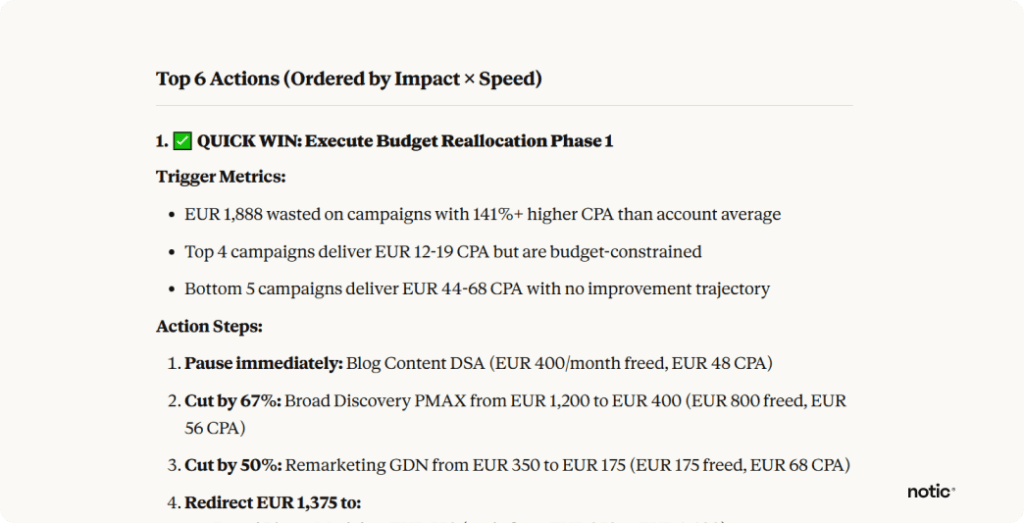
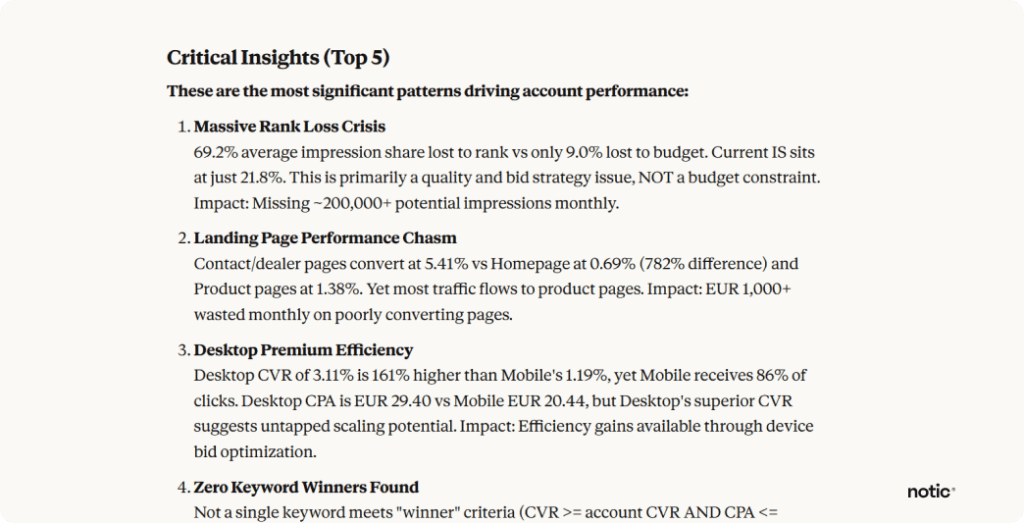
1. Get quick wins for your ad account
Ask Claude to provide you with quick wins after auditing your whole account.
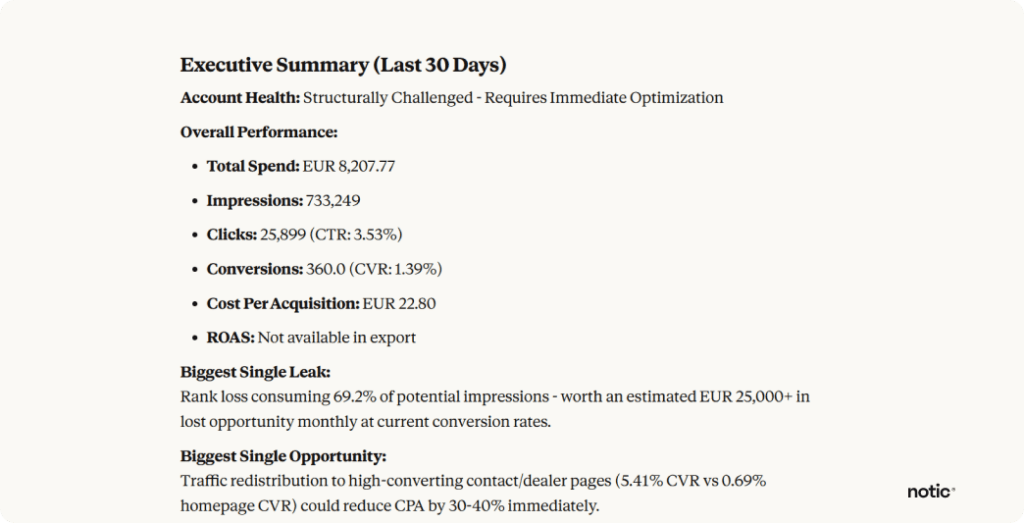
2. Monitor your performance in real time
Instead of waiting for weekly reports, ask Claude what happened yesterday. Which campaigns spiked? What search terms drove conversions? Where did you waste spend? You get answers instantly based on actual account data.
3. Get budget optimization recommendations
Ask Claude to compare cost-per-conversion across campaigns and recommend reallocation strategies. It analyzes the entire account and tells you exactly where to move budget for better ROI.
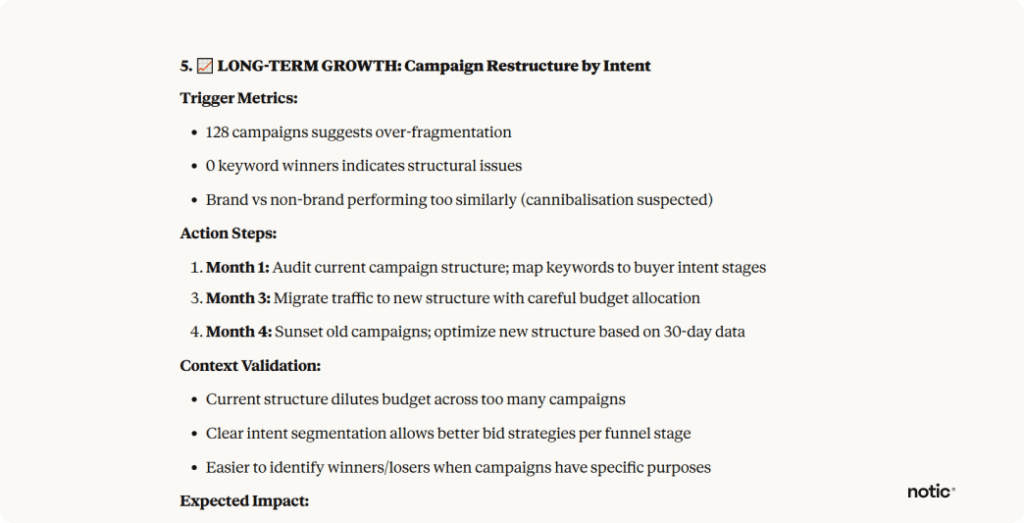
4. Quickly audit your whole ad account
Ask Claude to audit your campaign structure, keyword performance, or ad copy effectiveness. It scans everything and surfaces issues you might miss manually. What used to take an afternoon now takes 5 minutes.
5. Ad quality score insights
Instead of manually reviewing keywords one by one, ask Claude to analyze the relationship between keyword relevance, ad copy performance, and landing page experience across your entire account. It spots optimization opportunities that individual campaign reviews miss.

Digital strategy that finally helps you reach your goals?
We identify issues, find ways to improve, and execute them using best practices. There is a reason 95% of our clients stay with us.
DIFFERENCE BETWEEN CLAUDE AND CHATGPT
Why actually bother with this instead of using ChatGPT?
When you use ChatGPT or standard Claude for Google Ads help, you’re getting generic advice based on training data. The AI doesn’t know your account, your campaigns, or your actual performance numbers.
With MCP connected, Claude sees everything. Your campaign structure, keyword performance, ad copy, search terms, conversion data, budget allocation, Quality Scores, all of it. That’s the main difference for now, at the time of writing this article.
Here’s the difference in practice:
SETUP
How to set up Claude AI with your Google Ads account.
This sounds technical, but it’s really not. You’re basically just connecting two accounts through a middleman (Zapier). No coding, no complex configurations, no technical knowledge required.
1. Open Claude Connectors
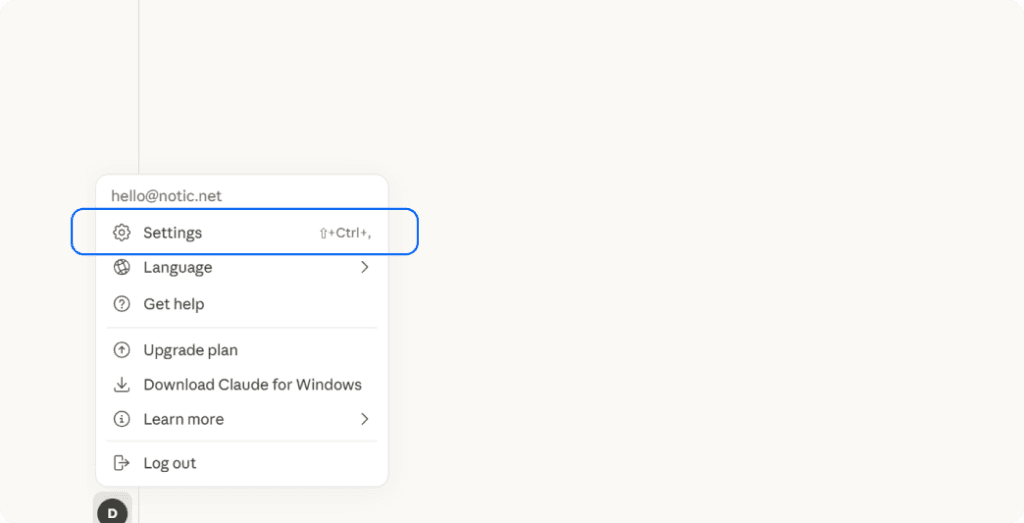
Go to Claude in your browser. Click on your name in the bottom left, then hit Settings. Click the Connectors tab.
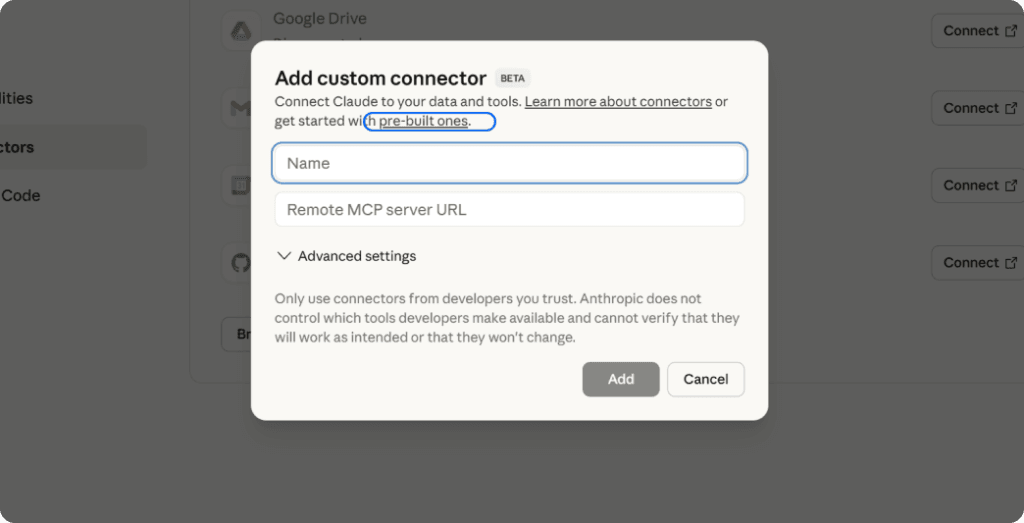
You’ll see an “Add custom connector” button. Click it. You should see highlighted text that says “pre-built ones.” Click that link. This takes you to a list of available MCP integrations.
2. Set Up Zapier MCP
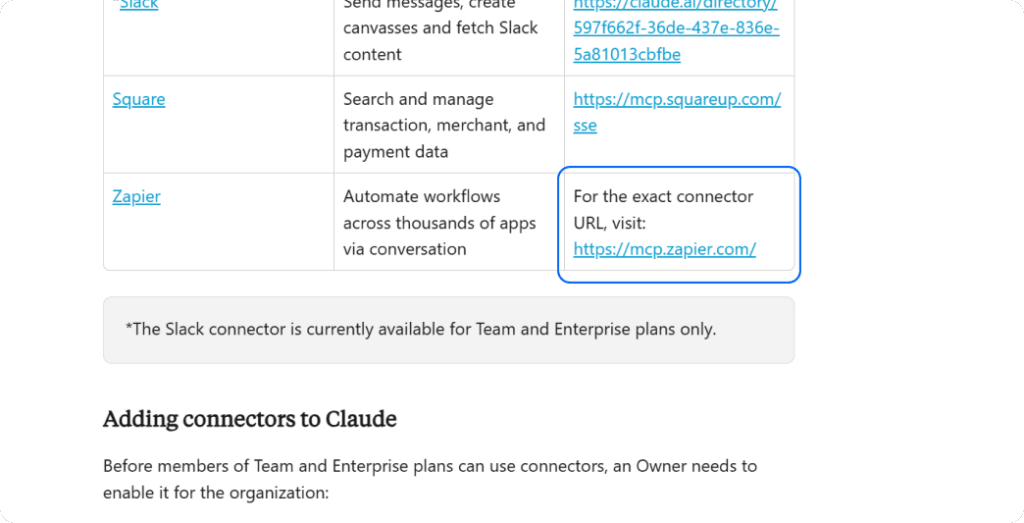
Scroll down until you find Zapier. Go to mcp.zapier.com.
Hit “New MCP Server” and select Claude as your AI assistant. Create the server and name it something clear like “Google Ads MCP Server” so you remember what it does.
Now click “Add tools” and search for Google Ads in the tools directory. Select all the Google Ads API actions to give Claude complete access to your account data.
Follow the prompts to authenticate your Google Ads account. This is standard OAuth, the same permission flow you use for any tool that connects to Google Ads.
Once you’ve connected your account, you’ll see it listed as active in Zapier. Check that all API endpoints are properly enabled.

3. Connect Back to Claude

In Zapier, click the “Configure” tab at the top. You’ll see an Integration URL. Copy it.
Go back to Claude at claude.ai/settings/integrations and click “Add integration.”
Paste that URL from Zapier into the field. Click “Continue” to authenticate the connection and grant permissions when prompted.
Done. You should now see the Google Ads integration listed as active in your Claude settings, and Zapier should appear in your active connectors.
PROMPT EXAMPLES
Testing the connection
Open a new chat with Claude. Ask it something simple to verify everything works:
“How many active campaigns do I have in my Google Ads account?”
If Claude can answer that with your actual number, the connection is working. Now try something more useful.
Here are queries that work well:
Campaign performance: “Which campaigns showed declining performance over the past month and what specific changes would improve them?”
Keyword analysis: “Show me high-spend, low-conversion keywords that need negative keyword additions or pausing.”
Budget efficiency: “Compare cost-per-conversion across all campaigns and recommend how to reallocate budget for better ROI.”
Ad copy testing: “Analyze ad copy performance across my account and identify which messaging approaches are working best.”
Search term mining: “What search terms are triggering my ads but not converting? Give me a negative keyword list.”
Quality Score issues: “Which keywords have low Quality Scores and what changes would improve them based on my account data?”
Competitive gaps: “Analyze my impression share data and tell me where competitors are beating me.”
The more specific your questions, the better Claude’s analysis.
Instead of “How’s my account performing?” ask “Which ad groups in my brand campaign have CTR below 5% and why?”
Verjetno vas
zanima tudi: